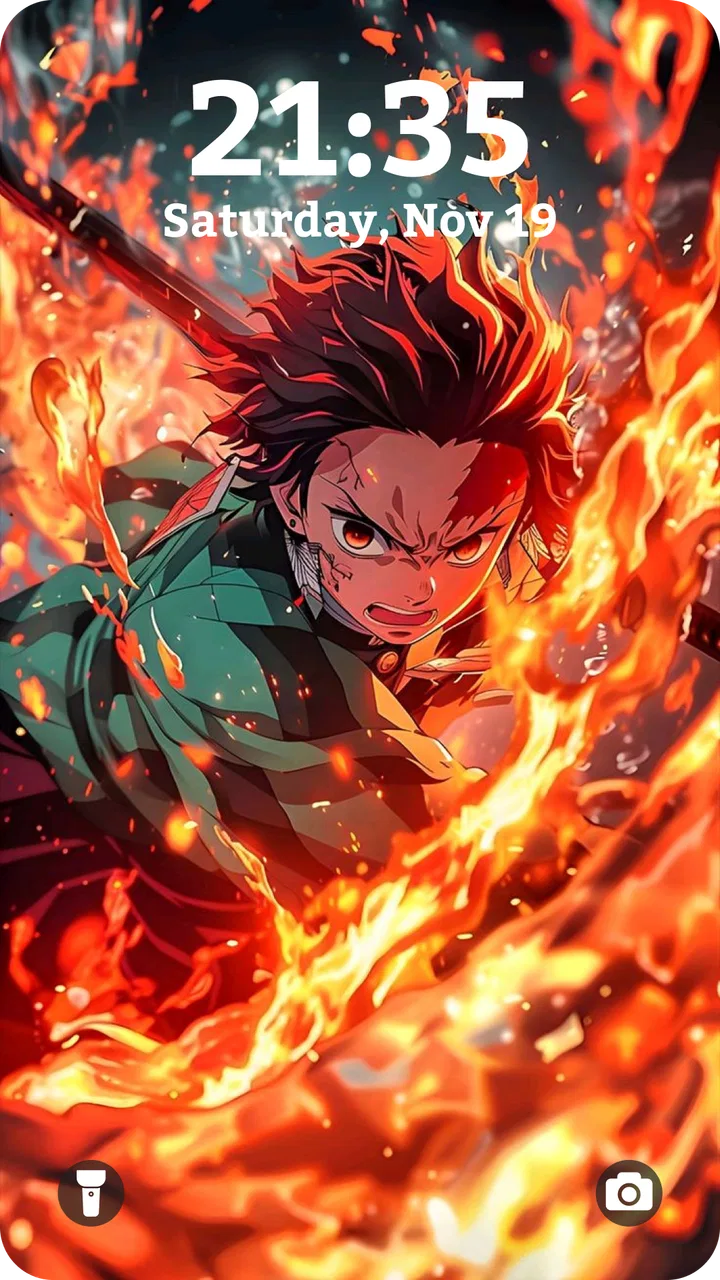
Anime Wallpaper HD & 4K Live
- 4.8
- Rating
- 1.00M
- Installs
- Free
- Price

 Analysis by App-foxy
Anime Wallpaper HD & 4k Live is the kind of personalization app I open when my phone feels visually tired. Its main appeal is simple: it puts anime artwork, high-resolution backgrounds, and live wallpaper options in one place instead of making me search through unrelated image libraries. I reviewed it as a daily wallpaper tool rather than as a general image gallery, and that distinction matters. The experience is strongest when I want a quick visual change with an anime theme, not when I need a fully flexible design studio.
The app is free to install and is suitable for Everyone, which makes it easy to try without committing money first. It comes from H2Studio2022 and sits in the Personalization category. Its store summary focuses on high-quality anime backgrounds, but my useful takeaway is more practical: this is a focused way to give an Android phone a stronger identity, especially if ordinary stock wallpapers feel too plain.
Why the live wallpaper capability changes the experience
The most important capability here is the combination of static Anime Wallpaper artwork with live wallpaper choices. A normal background stays still and mainly changes the color and mood of the home screen. A live background can make the phone feel more animated every time I unlock it. That difference is small in seconds, but noticeable over a day because the wallpaper is one of the first things I see whenever I check the device.
You May Also Like

 Blood Strike: 2.5 Anniversary
Blood Strike’s Loadouts Turn Every Drop Into a Tactical Gamble
A close look at Blood Strike’s custom loadouts: how fast access to signature weapons reshapes its battle royale rhythm, rewards preparation, and narrows the gap between fights.

 Pandora - Music & Podcasts
Pandora’s Music Is Easy to Start, but Harder to Recover
Pandora’s strength is its low-effort path from a seed to a station. Its weak spot is how much confidence it asks you to place in connection, setup, and quiet recovery.

 8 Ball Pool
 Is Built on Rivalries, Rematches, and Routine
A close look at the rivalries, rematches, shared routines, and unanswered safety questions that turn a quick pool match into a persistent mobile community.

 Samsung Music
’s Quiet Strength Is Playing What You Already Own
Its reach comes less from spectacle than from dependable access to a personal library. That simplicity is both the app’s strongest retention engine and its ceiling.

 AccuWeather: Weather Radar
AccuWeather Review: A Quick, Clear Forecast for Everyday Decisions
For everyday plans, the best forecast is the one you can understand quickly. AccuWeather makes rain timing, radar, and local conditions easy to act on, with a few trade-offs.

 Hill Climb Racing
Why Hill Climb Racing Still Turns Crashes Into One More Run
A tiny car, a bumpy hill and one more upgrade: Hill Climb Racing keeps resurfacing because its simple chaos makes every near-miss feel personal.
More From Our News Desk



I would not describe live wallpaper as a productivity feature, and it does not make the phone faster or more useful by itself. Its value is emotional and visual. A favorite anime style can make a familiar device feel more personal, while a sharp 4K-oriented image can give a modern display a cleaner, more dramatic appearance. The effect depends heavily on the screen, the chosen artwork, and how busy the icons are.
That last point is easy to overlook. A detailed character image may look excellent in a preview but become difficult to live with once app icons and widgets cover the important parts. I get better results when I choose artwork with open space near the upper and central areas of the home screen. Darker backgrounds also tend to make bright icons easier to read, while highly detailed scenes can create visual clutter even when the image itself is attractive.
The app’s focus is therefore more useful than a huge, unfocused wallpaper collection would be for an anime fan. Instead of filtering through landscapes, abstract designs, sports images, and generic photography, I can stay within one visual world. That saves time when I already know the style I want. It also means the app is less compelling for someone who wants one neutral wallpaper that matches every possible theme.
From browsing to a usable home screen
In practice, I treat the app as a short selection process. I browse until an image catches my attention, inspect whether the composition leaves room for my icons, and then decide whether it works better as a still background or a live one. This is more reliable than choosing solely from a thumbnail. A close-up face, bright special effect, or strong diagonal line can look balanced in a preview but interfere with the clock and notification area after application.
My first practical tip is to judge the wallpaper by its quiet areas, not only by its main character. The empty space is what makes a home screen usable. If the artwork has a bright focal point exactly where the clock appears, I usually skip it even if the illustration is technically beautiful. This simple check has more effect on daily satisfaction than chasing the highest-looking resolution.
The second tip is to compare the lock screen and home screen roles before applying anything. A dramatic image can be excellent on the lock screen, where there are fewer icons, but overwhelming behind a full grid of applications. When an app gives me a strong character portrait, I prefer using it where the image can remain visible rather than forcing it behind a crowded layout.
Live wallpapers deserve a separate decision. I use them when motion adds atmosphere, but I do not automatically choose them just because they are available. Movement can make the phone feel more distinctive, yet it may also become distracting when I am repeatedly opening the home screen. It is also sensible to watch battery behavior after changing to a live background, particularly on an older device. I would not assume every live option has the same effect on power use, so I judge it from actual everyday use rather than from the preview.
A realistic everyday use case
Imagine finishing a long workday and wanting a small change without reorganizing the phone. I can open the app, browse anime artwork, select a calmer scene, and refresh the home screen in a few minutes. If I choose an image with a darker background and clear space around the icons, the result feels new without forcing me to change my launcher, widgets, or app layout. That is where the app earns its place: it delivers a visible change with very little setup.
It is also useful for people who rotate wallpapers with their mood. I might choose a bright, energetic illustration for a personal phone and a quieter scene when I want fewer distractions. The app does not need to become a daily ritual; even occasional changes can make an old device feel less repetitive. For a teenager, anime fan, or anyone building a themed home screen, that focused selection is more convenient than collecting images manually from scattered sources.
There is a trade-off in that convenience. A dedicated wallpaper app can encourage me to browse longer than necessary because every new image suggests another possible look. I get the best experience when I decide what I am trying to improve first: readability, mood, character focus, or motion. Without that goal, it is easy to keep scrolling and end up applying an image that looked exciting but is awkward with real icons.
Resolution, cropping, and the illusion of detail
The 4K wording is attractive, but I would not treat it as a guarantee that every screen will show a dramatic improvement. A phone display has its own resolution, aspect ratio, and cropping behavior. Even a very detailed source image can lose impact when the device zooms it to fit. The practical benefit is often cleaner artwork and more flexibility during cropping, rather than a literal 4K experience on every handset.
Before settling on a background, I look at the edges and the subject’s position. A tall phone may crop a wide scene differently from the preview, and a character placed near an edge can become partially hidden. I also check whether the image remains attractive when the phone is held vertically, since that is how most people will see it. This is one of the app’s less obvious user decisions: image quality alone does not determine whether a wallpaper works.
On a smaller or older display, a well-composed HD image may be more satisfying than a busier high-resolution scene. On a newer screen, fine details can stand out, but only if the artwork survives cropping and icon overlap. I prefer a balanced composition over a label that sounds impressive. That approach prevents disappointment and makes the app’s large visual selection easier to use intelligently.
Where it fits among ordinary wallpaper alternatives
The usual alternative is the phone’s built-in wallpaper picker. That option is faster for basic backgrounds and often integrates neatly with the system, but it rarely gives an anime-focused browsing experience. If I only need a plain color, landscape, or standard photo, the built-in tool is the better choice because it avoids another app and keeps the process minimal.
Another alternative is a general image search or a broad wallpaper platform. Those services can offer more variety, including photography, illustrations, and abstract designs. Their weakness for my particular use is focus: I may spend more time filtering unrelated results, checking whether an image fits a phone screen, and deciding whether the source is suitable for a background. Anime Wallpaper HD & 4k Live is more efficient when the theme itself is the priority.
Manual image collection gives me more control over exactly what I use, especially if I already have personal artwork or a favorite official image. It can also be preferable when I want to avoid browsing inside a dedicated wallpaper catalog. The app is better for discovery and convenience, not for replacing a carefully organized personal collection. I see it as a themed starting point rather than the only wallpaper source I will ever need.
Live wallpaper is another area where expectations should stay realistic. A moving background can make a phone feel more expressive than a still image, but it is not automatically better. Some people prefer a calm, predictable screen, and others prioritize battery efficiency or a distraction-free layout. For them, a static choice from this app—or the system’s own wallpaper picker—may be the wiser option.
Costs, version, and the practical friction
The app is free, which lowers the barrier to experimenting with different looks. It includes in-app purchases priced from $4.99 to $8.99 per item, so I would pay attention to any purchase prompt and decide whether the extra material is genuinely useful to me. The free entry is important because wallpaper preferences are personal; I would rather test the browsing experience and the visual fit on my device before spending anything.
The current version is 2.41, and the app supports Android 7.1 and later. That broad compatibility is helpful for people who keep an older phone, although support for an operating-system version does not guarantee identical behavior across every manufacturer. Display proportions, launcher layouts, and system handling of live backgrounds can all affect the final result. I would test one or two wallpapers first instead of changing everything at once.
With a 4.8 average from around 45 thousand ratings and more than a million installs, the app clearly has a substantial audience. I see those figures as a sign that the concept resonates, not as proof that every wallpaper or every device experience will be perfect. The number of reviews is around 500, but personal fit still matters more than popularity here because wallpaper quality is subjective and hardware presentation varies.
The main friction is not complicated setup; it is selection discipline. A catalog built around striking anime artwork can make it difficult to choose something that remains comfortable behind icons. Live backgrounds add another judgment about motion and power use. In-app purchases may also matter to users who want the fullest selection without paying, so the free experience should be evaluated on its own rather than assumed to include everything.
Who gets the most from this app
I think the strongest audience is someone who wants a recognizable anime identity on an Android phone and values quick discovery over complete manual control. It is particularly suitable for users who change their wallpaper occasionally, enjoy both still and moving backgrounds, and want artwork designed with a phone screen in mind. The Everyone age rating also makes it broadly approachable, though individual taste in anime imagery will still determine whether the collection feels right.
It is less suitable for someone who wants photographic wallpapers, minimalist solid colors, or a single carefully controlled image library. I would also point cautious users toward a static wallpaper if motion feels distracting or if battery behavior is a major concern. People who already have a well-organized collection may gain little from another browsing app unless they specifically want more anime-themed choices.
My third practical tip is to create a small rotation based on function rather than character alone: one calm image for busy days, one high-contrast option for easy icon reading, and one more dramatic live choice for when I want visual energy. This avoids repeatedly searching for the perfect background and makes the app useful over time. It also exposes whether the live capability genuinely improves my routine or is merely appealing during the first few minutes.
My recommendation after using it
The real strength of Anime Wallpaper HD & 4k Live is focused visual choice, not technical complexity. It makes an anime-themed refresh quick, gives me the option of motion, and offers enough resolution-oriented artwork to make careful cropping worthwhile. I appreciate that it can change the feel of a phone without requiring a new launcher or a major customization project.
I would recommend it to an anime fan who wants a convenient themed wallpaper source and is willing to spend a moment checking icon readability, cropping, and live-wallpaper behavior. I would not recommend installing it solely because 4K sounds impressive, nor would I choose it over the system picker for a simple, low-distraction background. Its best results come from matching the artwork to the way the phone is actually used.
Overall, H2Studio2022 has made a focused personalization app for a clearly defined audience. The free price makes trying it straightforward, while the optional purchases mean I would browse carefully before deciding whether anything extra is worth buying. For me, the app succeeds when I want a home screen that feels expressive and unmistakably anime-inspired; when I want restraint, efficiency, or complete control over my own files, a simpler alternative remains the better fit.
FAQs for Anime Wallpaper HD & 4K Live
01What types of wallpapers does Anime Wallpaper HD & 4k Live offer?
Anime Wallpaper HD & 4k Live offers a vast collection of wallpapers featuring popular anime series, characters, and scenes. Users can choose from HD and 4k live wallpapers, allowing for a dynamic and visually stunning home screen experience. With regular updates, the app ensures fresh content is always available.
02Is there a cost associated with downloading or using the app?
Anime Wallpaper HD & 4k Live is available as a free download, but it may include in-app purchases or ads. Users can access a wide range of wallpapers for free, but premium options may require a purchase. Be sure to check the app's store listing for specific pricing details.
03How user-friendly is Anime Wallpaper HD & 4k Live?
The app is designed with user-friendliness in mind, offering an intuitive interface that allows users to easily navigate and select wallpapers. With categories and search functionality, finding your favorite anime wallpapers is straightforward. The app also provides easy-to-follow instructions for setting wallpapers.
04Does the app require an internet connection to function?
An internet connection is necessary to initially download the app and access the latest wallpapers. However, once downloaded, users can save wallpapers to their device, allowing offline access. This ensures that users can enjoy their favorite wallpapers without needing a constant internet connection.
05What devices are compatible with Anime Wallpaper HD & 4k Live?
Anime Wallpaper HD & 4k Live is compatible with a wide range of Android and iOS devices. It is optimized to work on both smartphones and tablets, ensuring a seamless experience across different screen sizes. It's recommended to check the app store listing for specific OS version requirements.
Pros
- High-quality HD and 4K wallpapers available.
- Wide variety of anime themes and genres.
- User-friendly interface for easy navigation.
- Regular updates with new wallpapers added.
- Customizable settings for live wallpapers.
Cons
- Contains ads that may disrupt user experience.
- Limited offline functionality without internet.
- Some wallpapers may require in-app purchases.
- Occasional crashes reported on older devices.
- Live wallpapers may drain battery quickly.

Anime Wallpaper HD & 4K Live
Gallery